Intelligence: Make the Robot Converse
After registration and connection, Intelligence is the first module you should make usable. The goal is practical: the robot should understand, answer, stay within bounds, and present itself consistently for the target use case.
Intelligence defines who the robot is.
Expertise defines what the robot does.
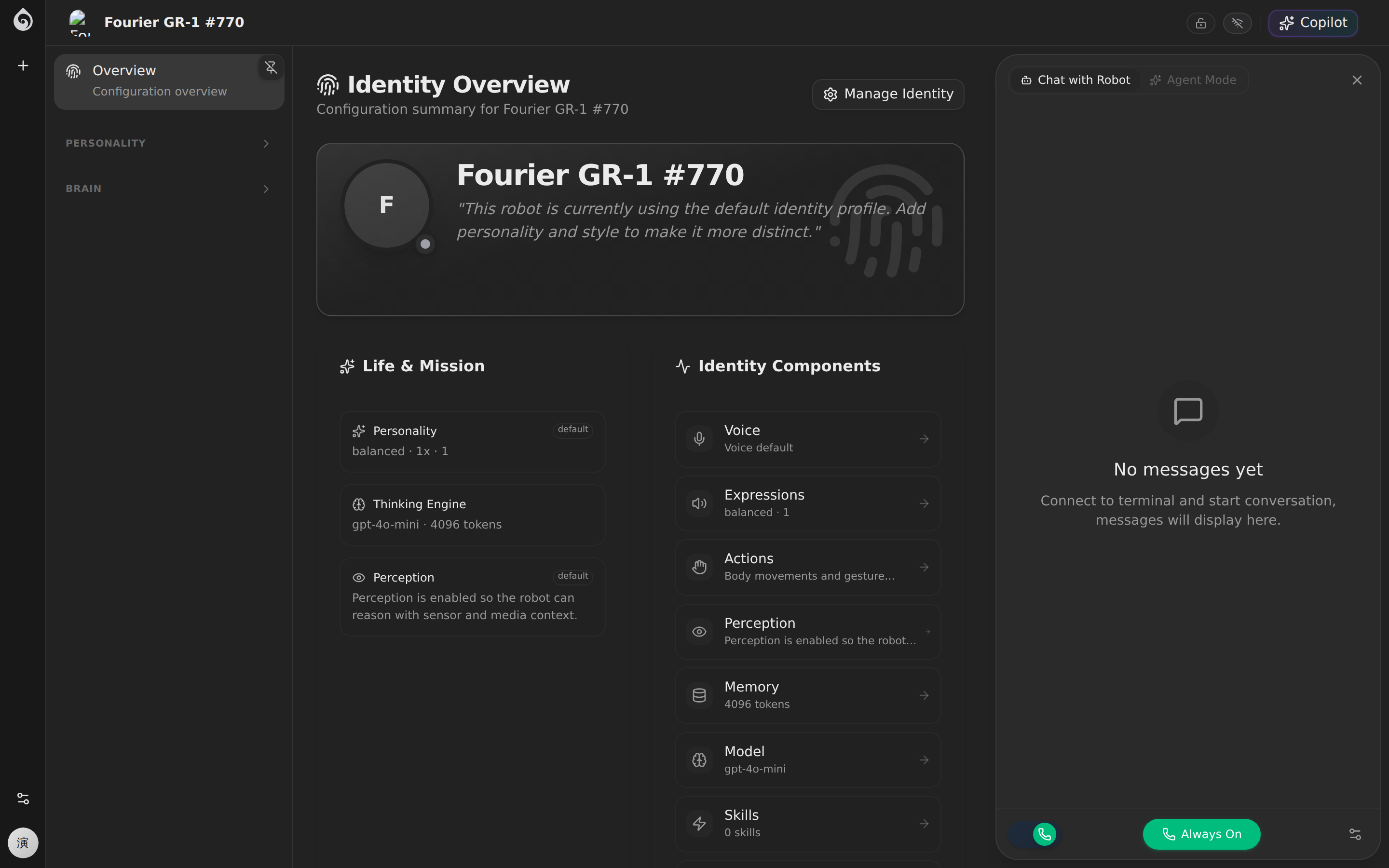
First make these 3 things true
For first-time rollout, you do not need every feature configured. You need:
- The robot can answer common user questions
- The answer style matches the intended role and safety boundary
- The robot can call the right tools when the job requires action
Minimum viable setup
| Setting | Required | Onboarding guidance |
|---|---|---|
| Model | Required | Pick a stable model before tuning |
| Persona / system prompt | Required | Define role, duties, and hard boundaries first |
| Voice | Recommended | Start with a clear default voice |
| Skills | As needed | Only mount tools needed for the first job |
| Memory | As needed | Keep context simple early on |
Recommended order
1. Set the model and boundaries first
- Choose a reliable LLM with acceptable latency
- Write a system prompt that clearly covers responsibilities, forbidden behavior, and escalation rules
- Run 5 to 10 real questions as a smoke test
2. Add perception, memory, and skills only where needed
- Perception: enable only the inputs that matter for the current task
- Memory: keep the context window short until behavior is stable
- Skills: mount only the MCP tools required for the first production workflow
3. Tune expression after the core loop works
- Voice: optimize for clarity before brand polish
- Expressions and actions: keep them sparse and predictable during onboarding
- Persona: make tone, wording, and attitude fit the real job
Pass criteria before moving on
- The robot can greet, answer, and refuse safely when outside scope
- It states limitations instead of inventing answers
- It can trigger required tools or explain why a tool action failed
- Voice, expressions, and actions do not get in the way of the task
Common issues
| Symptom | Check first |
|---|---|
| Wrong tone or role | System prompt clarity around role, tone, and boundaries |
| Hallucinated answers | Model settings too loose or knowledge scope too broad |
| No tool calls when expected | Missing skills or missing trigger instructions in prompt |
| Good conversation but poor task completion | This is usually an Expertise gap, not an Intelligence gap |
Boundary with Expertise
- Intelligence: model, persona, perception, memory, voice, expressions, actions — who the robot is
- Expertise: knowledge, scripts, role, flows, scenes — what the robot does