Shared Setup Overview
Configurations is the shared setup layer across robots. This is where your team stores reusable models, knowledge, and identity assets rather than the step-by-step onboarding flow for one device.
Agent setup (core)
The Agent configuration is the “AI brain” of the robot. It determines how the robot perceives its environment and interacts with humans.
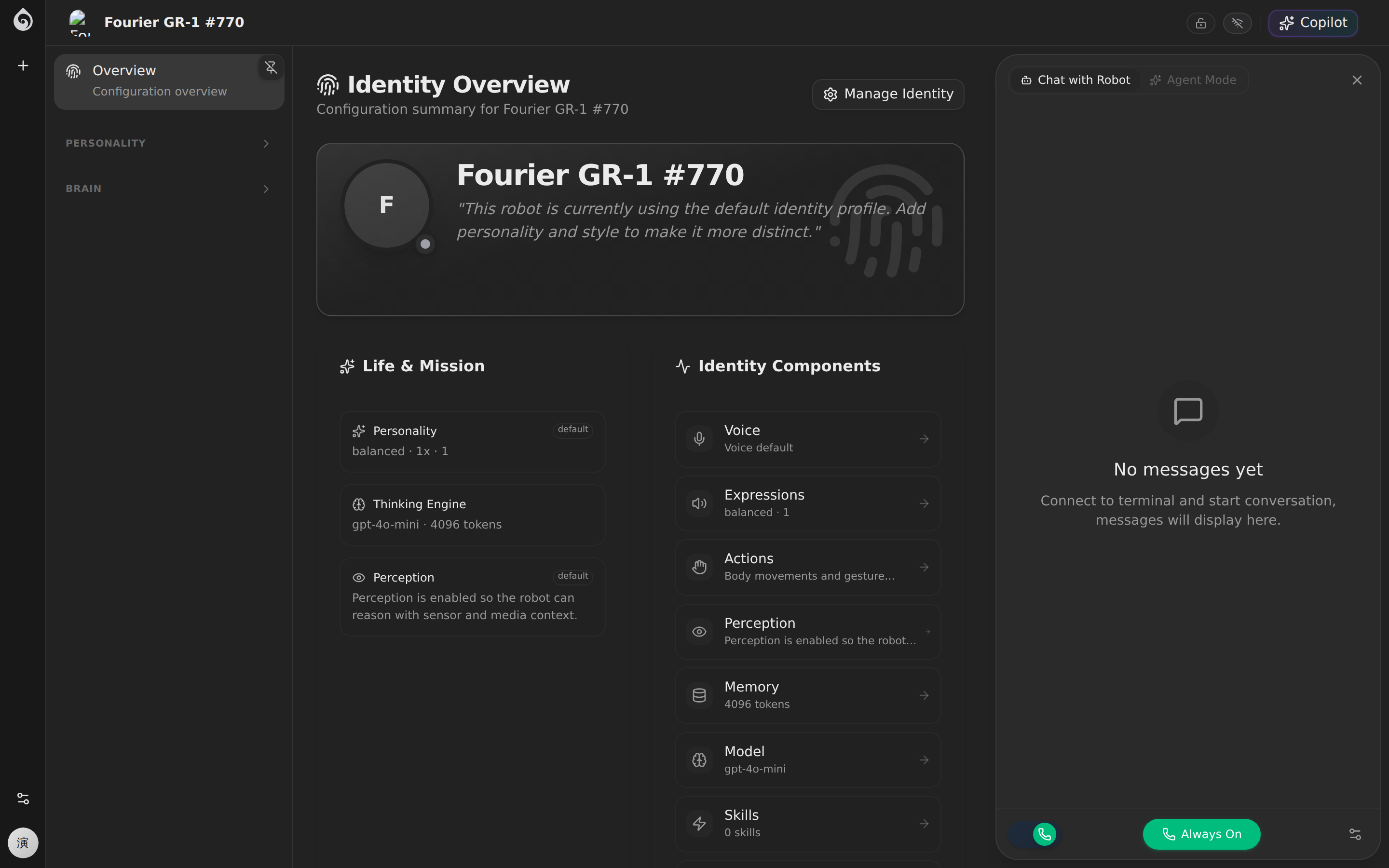
Recommended order of setup:
- Model Selection: Choose an LLM (e.g., GPT-4o, Claude 3.5, or DeepSeek) based on task complexity and latency requirements.
- System Prompt: Define the robot’s role, tone, and behavioral boundaries. Use clear constraints to prevent hallucinations.
- Skills & MCP Tools: Enable the specific tools the robot needs to interact with the physical world or external APIs.
Shared setup also includes:
- Identity Assets: Manage voice profiles (TTS) and face recognition libraries for personalized interactions.
- Platform Settings: Manage global API keys, Team IDs, and system endpoints.
- Platform Defaults: Set global policies for data retention, connectivity, and safety overrides.
Best practices
- Template First: Build shared templates for robot models and agent personas before starting per-robot customization.
- Incremental Enablement: Start with core conversation capabilities before adding complex physical skills.
- Continuous Monitoring: Track how configuration changes impact operational outcomes and refine prompts based on real interaction logs.
Related docs
- Intelligence — Deep dive into LLM and prompt engineering
- Expertise — Managing business flows and scenes
- Platform Settings — Manage API keys and global team configuration